
160 字
1 分钟
linuxqq在hyprland上无法使用fcitx5输入中文的解决方案之一
第一步,检查配置
qq.desktop要修改一下(应该默认都改过了,如果没有的话请参照下面的修改)
(一般位于.local/share/application/qq.desktop ,没有的话就在/usr/share/application/qq.desktop,但我建议从/usr/share那边复制一份desktop文件到.local/share/application/qq.desktop)
参照下面的config
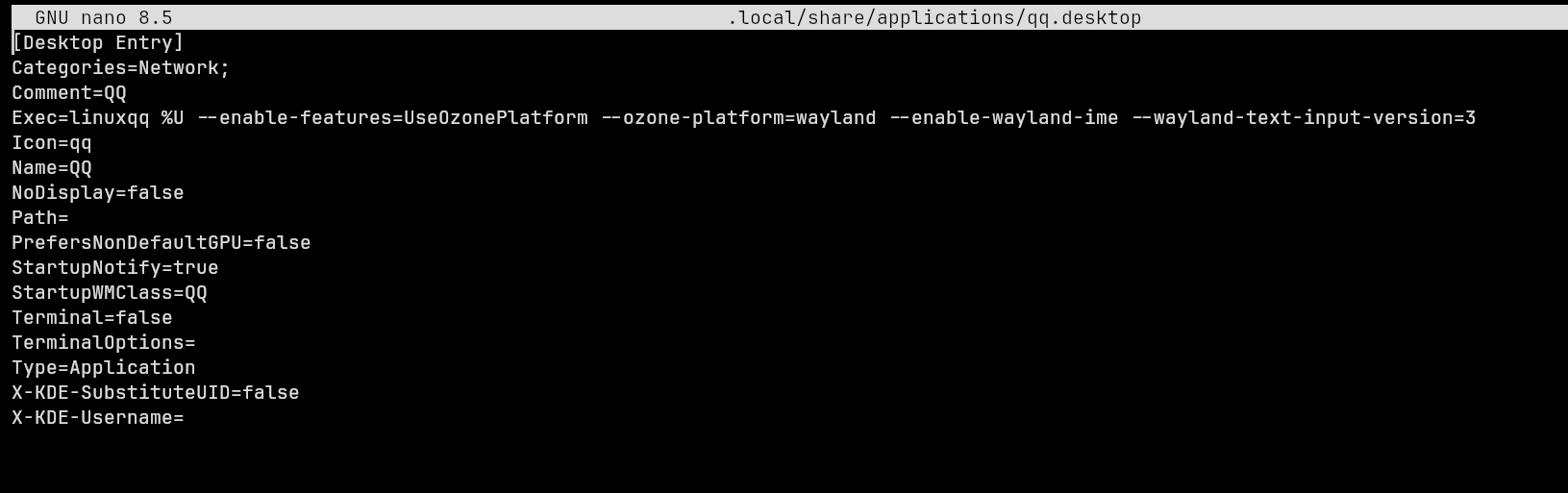
主要修改的是 Exec= 那一行,在后面加上
--enable-features=UseOzonePlatform --ozone-platform=wayland --enable-wayland-ime --wayland-text-input-version=3—enable-features=UseOzonePlatform —ozone-platform=wayland —enable-wayland-ime —wayland-text-input-version=3`
第二步,正确的姿势使用
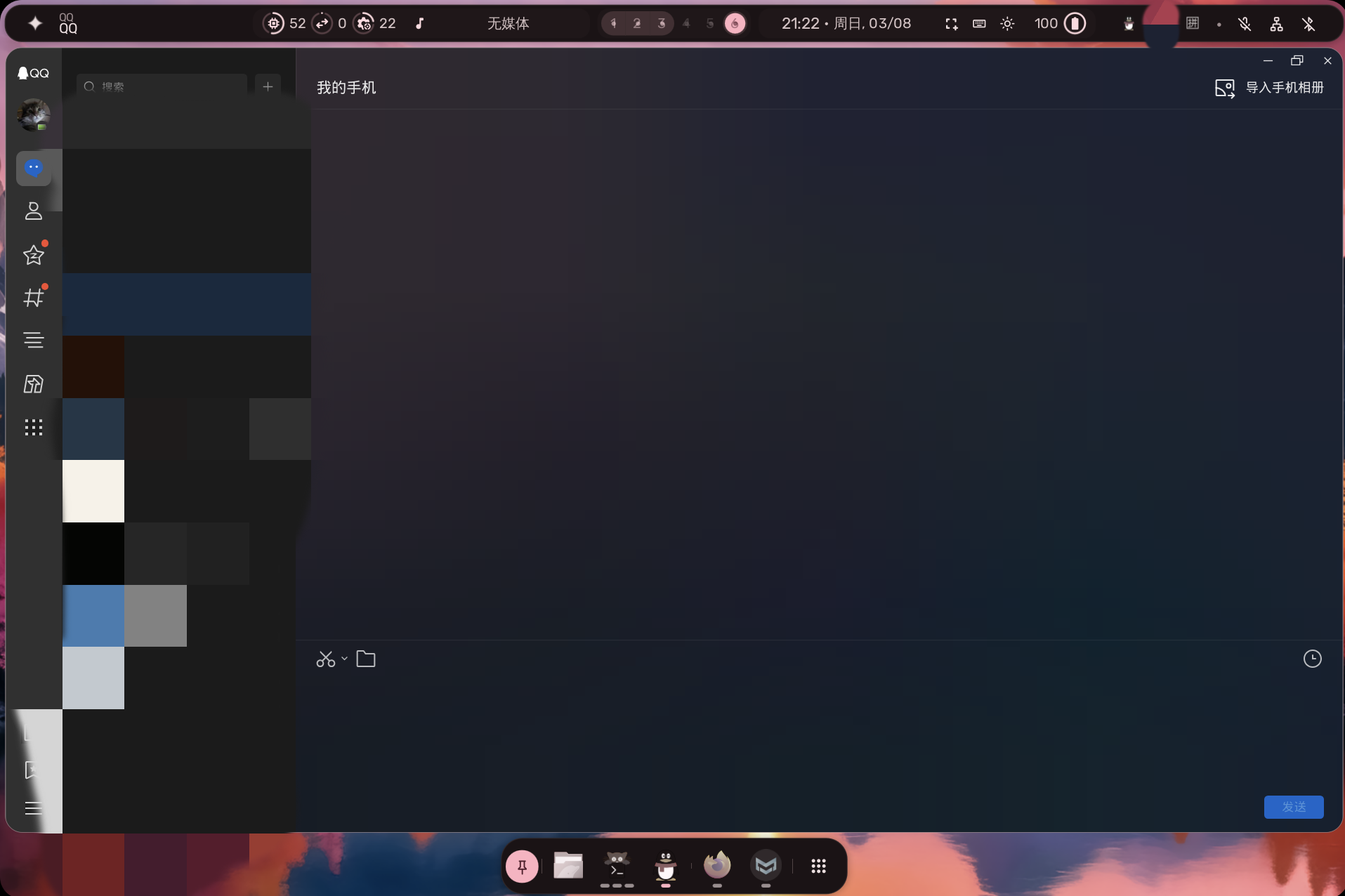
请在一个单独的工作区使用linuxqq,而不是将聊天窗口拆分(应该是hyprland的bug),就像下面那样
结语
hyprland道阻且长啊(当然肯定也有wayland的问题),就这样罢
linuxqq在hyprland上无法使用fcitx5输入中文的解决方案之一
https://lnpo.qzz.io/posts/linuxqq-hyprland/